Drone flight log: keep one from the .srt files your DJI already writes

Most pilots keep a flight log the way most people keep receipts: somewhere, until somebody asks for one. The awkward part is that much of the record already exists. If you fly a DJI drone with captions switched on, a .srt file lands on the memory card next to every video, holding the time, position and height of the aircraft for each moment of the recording.
Flight Log is a free logbook in your Terasor dashboard that can read that file. This guide covers what it records, what UK and US rules ask you to keep, and what it leaves to you.
What the .srt file holds
Each block carries a timestamp, the position, the height above take-off and the camera settings. We cover the format in SRT and LRF files: what your drone writes alongside the video. Two points matter for a log. The file only covers the time the camera was recording, not the whole flight. And it only exists if captions were switched on in the flying app before you took off.
What Flight Log does
Each flight holds the date, start time and duration, the drone, the take-off and landing places, the purpose, the batteries you used and anything that went wrong. Only the date, the duration and the take-off place are required.
Add one or more .srt files to a flight and Flight Log fills in the date, the start time and the take-off pin from the first recorded position, and where it can, a place name. You get the distance, heights and range, plus the route on a map and a height graph you can play back. The file is read on your device and never uploaded. Only the route and the figures are saved.
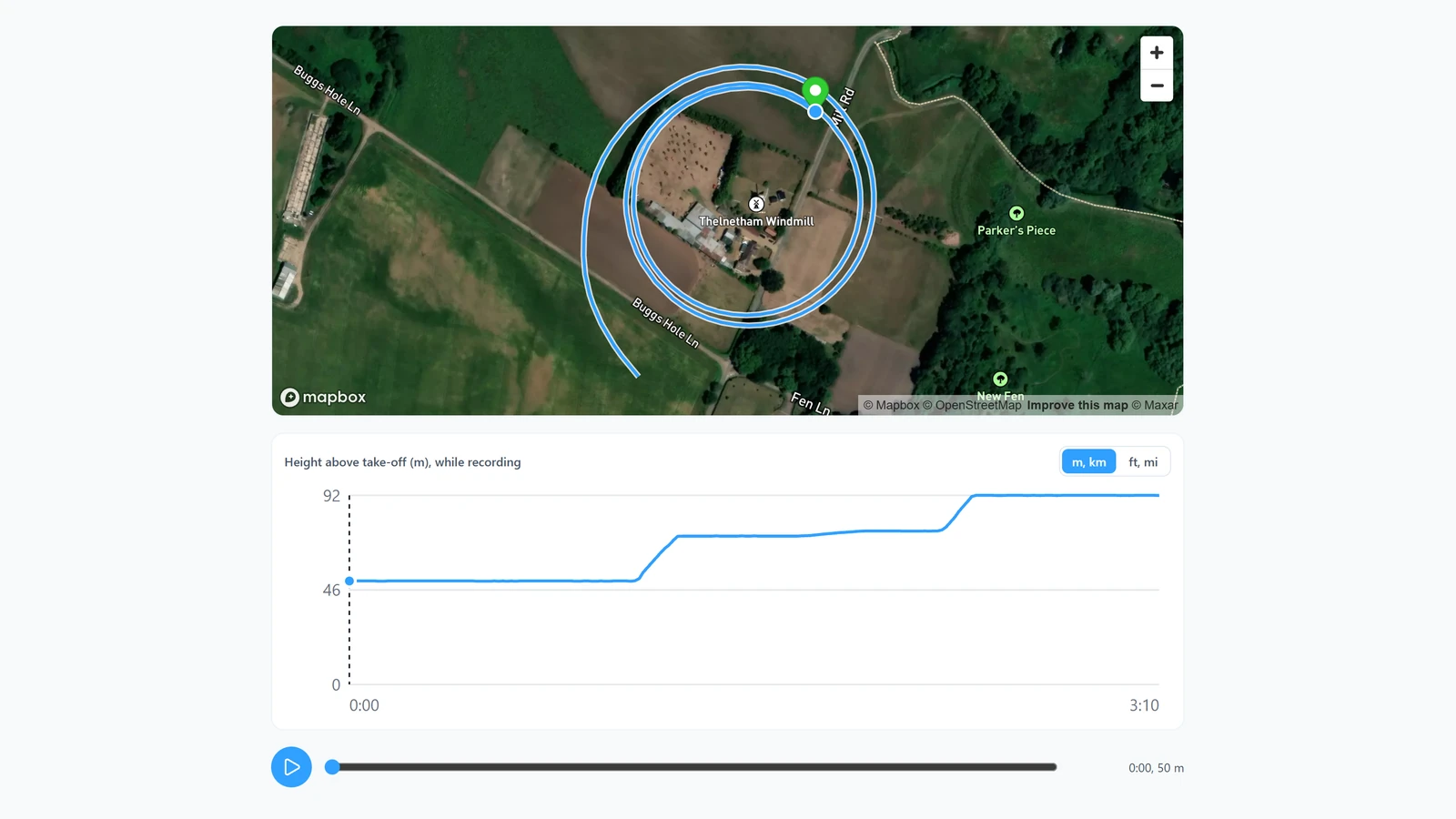 The route and height graph Flight Log drew from the .srt of a 3D World capture of Thelnetham Windmill.
It also records whether you flew by day or at night, worked out from the start time and take-off place using the UK definition of night: from half an hour after sunset to half an hour before sunrise. You can change it if your rules define night differently.
Your Flyer ID and each drone's serial number are optional and private: they appear in your exports and never on your public page. Units are metres or feet, as you choose. You can download the whole log as a CSV file, or print it, from a web browser.
The log is private. Your public pilot page can show your totals, the number of flights and hours, and nothing else. If you upload a capture to 3D World, you can also show its flight path on the capture's page: a simplified route with no take-off pin, with the first and last 100 metres left off unless you choose otherwise. Both options are off until you turn them on.
What the UK asks for
For operations in the Specific category, the CAA's page on remote pilot responsibilities says you must keep a logbook and record, for every flight:
- your name and Flyer ID
- the date
- the take-off and landing location
- the duration, including whether it was in daylight or at night
- a description of the flight, including any unusual technical or operational occurrences
- the make and model of the drone
- its serial number, or its registration number where that applies
The same page says the log should be in a digital format that is easy to hand to the CAA. Flight Log holds every item on that list, and both the CSV and the printable log include them.
The operator has separate duties, on the CAA's page on operator responsibilities. They include an aircraft technical logbook for each aircraft, covering pre-flight inspections, site risk assessments, radio frequency surveys and maintenance, and records of documents relevant to flight safety and of pilot training, kept for at least three years. The CAA publishes spreadsheet templates for both logbooks: CAP2606A, the technical logbook, and CAP2606B, the remote pilot logbook.
What the US asks for
Part 107 does not require you to keep a flight log. 14 CFR 107.7 requires you to carry your remote pilot certificate and to produce, on request, records the regulations require you to keep, and Part 107 sets no flight log among them.
What it does require is a report. Under 14 CFR 107.9, you must report to the FAA within 10 calendar days any operation that causes serious injury to anyone or a loss of consciousness, or damage to property other than the drone itself, unless the repair costs $500 or less or, where the property is a total loss, it was worth $500 or less. A log with the date, time, place and drone already written down makes that report quicker to write.
What Flight Log is not
It is a remote pilot's log, not an operator's technical logbook. It does not record pre-flight inspections, maintenance, defects, risk assessments or radio frequency surveys, so if you operate under a CAA operational authorisation, keep your technical logbook as well. Flight Log helps you keep your records; checking that they meet the rules you fly under is still up to you.
Getting started
- Create a free pilot account.
- In Settings, add your drone, and its serial number if you want it in your exports.
- Open Flight Log in your dashboard, choose Add a flight, and add the .srt files from your memory card.
To check conditions before the next flight, the free flight planner needs no account.
Sources
- Civil Aviation Authority, Remote Pilot responsibilities, Specific category
- Civil Aviation Authority, Operator responsibilities, Specific category
- Civil Aviation Authority, CAP2606A: PDRA01 Technical Logbook Template, version 2, 15 August 2024
- Civil Aviation Authority, CAP2606B: PDRA01 Remote Pilot Logbook Template, version 1, 3 April 2024
- Electronic Code of Federal Regulations, 14 CFR 107.7, Inspection, testing, and demonstration of compliance
- Electronic Code of Federal Regulations, 14 CFR 107.9, Safety event reporting
- legislation.gov.uk, The Air Navigation Order 2016, Schedule 1, for the definition of night

Terasor Team
Notes on drone regulation, equipment and the working side of aerial services, for the people who fly and the people who hire them. Terasor is a platform for professional drone services and aerial content.